


REALRIDER® Crash Detection
2.06.00 Reviews
App Specs
- Version
- 5.4.2
- Updated On
- License
- Free
- Downloads
- 10,000+
- Developer
- Realsafe Technologies LTD
- Categories
- Auto & Vehicles
- Platform
- Android
Screenshots
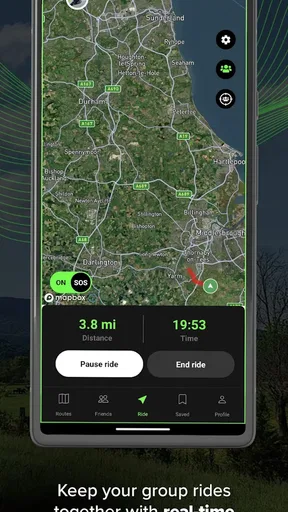
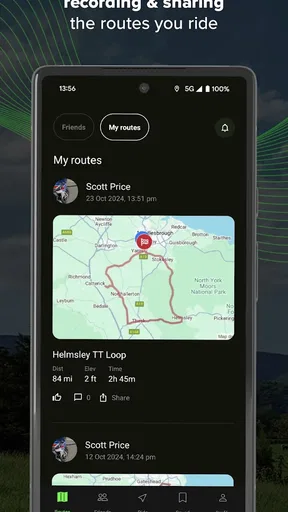
 Analysis by AppCompare
On a motorcycle, an emergency can leave you unable to reach your phone, which is why automatic crash detection matters more than another map or ride statistic. I see REALRIDER® Crash Detection as a safety-focused companion for riders who want an alert to be sent if a serious incident leaves them unable to ask for help themselves. That purpose is clear, but it also makes careful setup and realistic expectations essential.
The safety idea behind crash detection
The app’s central appeal is its use of a phone’s sensors to detect a potential crash and alert emergency contacts with your location. That is a meaningful difference from ordinary navigation: a route app helps you decide where to go, while crash detection is intended to help someone find you when you may not be able to communicate. It cannot replace riding within your limits or contacting emergency services yourself, but it may provide a useful additional layer for solo trips.
Because the phone is doing the sensing, its position and condition during a ride matter in practical terms. I would make sure it is secured where it can travel with the bike rather than left somewhere that could be separated from me, and I would check that the chosen contacts know what an alert from the app means. A notification is only helpful if someone recognises it and can act on it.
What happens before and during a ride
Before heading out, I would treat the first setup as part of preparing the motorcycle, not as something to rush through at the roadside. Add emergency contacts, review the app’s crash-alert setup, and make sure the phone is ready to accompany the ride. If you are trying it for the first time, a short, ordinary trip is a sensible way to learn where the controls are while parked and how the ride-tracking workflow feels.
Once riding, the useful question is not whether the app can replace every other safety tool; it is whether it is ready in the background when you need it. Starting a ride deliberately and confirming that tracking is active can help avoid the disappointing discovery, after a journey, that you never began the session. I would make that check before putting on gloves or moving off, rather than trying to sort out settings in traffic.
For a rider who often stops, the small routine matters: end or pause a ride when the journey is over, and check that the phone has enough charge for the return leg. That keeps a safety tool from becoming a source of distraction. If the interface or voice controls do not respond as expected while stationary, I would resolve that before relying on them on the road.
A realistic ride where it could help
Picture a solo ride on a quiet rural road, with patchy foot traffic and a long stretch between places where you might stop. If a crash leaves you unable to use your phone, an alert containing your location could give your emergency contacts a starting point for checking on you. That is the scenario in which this kind of app has the clearest value: not as a guarantee of rescue, but as a way to reduce dependence on being conscious and able to make a call.
Worth Reading Before You Choose

Flipboard Shows What News Apps Must Do Beyond the Feed

Switching to Android Auto Means Rethinking Your Driving Routine

Google Calendar Makes a Crowded Week Easier to Manage

Ludo King Makes the Most of the Minutes Between Plans

Baby Panda World Brings Quick Play to Modern Phones, but Its Game Library Feels Busy

ESPN’s Live Game View Makes Following Close Games Easier
The same feature may be less consequential on a short commute through busy streets, where you are frequently near other people and can reach your phone. It can still be reassuring, but it should not create a false sense that every accident will be detected or every alert will be acted on immediately. I would think of it as an extra signal in a broader safety plan, alongside telling someone where I am going on a remote trip.
How it differs from familiar alternatives
A navigation app is usually the better choice when the main job is finding a route, avoiding a wrong turn, or checking directions. A basic ride logger is more suitable if all you want is a record of where you went. REALRIDER combines a riding context with crash detection and emergency alerting, so its strongest reason to install it is the possibility of assistance after an incident, not simply collecting ride details.
That focus also means it should not be judged as a full substitute for dedicated motorcycle equipment or a phone’s usual emergency-calling options. Those alternatives serve different needs and may be more appropriate if you want navigation, a device designed specifically for the bike, or an emergency feature built into hardware you already carry. I would choose based on the job I need done rather than assume one app can cover every part of riding safety.
Who is most likely to benefit
I can see the greatest benefit for people who ride alone, take less-travelled routes, or regularly go out where a companion cannot immediately notice that something has gone wrong. It may also suit a rider whose family or friends worry about solo journeys, provided everyone agrees in advance on who will respond and how. The app is free to download, with in-app purchases listed at $4.99 per item, so it is worth checking the current purchase details in the app before deciding what you need.
It is a weaker fit for someone who rarely rides, keeps a phone away from the motorcycle, or does not want a phone app involved in the riding routine. Riders who mainly need dependable directions may be better served by a navigation-first option. And anyone who expects crash detection to act as a guaranteed emergency service should pause: the feature is best understood as a potential alerting aid, not a promise that help will arrive.
Small habits that make the idea more useful
There are a few practical choices I would make before trusting any phone-based alerting tool. First, choose contacts who are likely to see a message and are willing to respond; a contact list full of people who are unavailable does not improve the safety plan. Second, tell them what they should do if they receive an alert, rather than leaving them to guess whether it is a test, a false alarm, or a real emergency.
Third, keep the phone’s battery in mind, especially on longer outings. The original concern about battery use is worth taking seriously: tracking and sensor use can be demanding over a long ride, so I would begin with a charged phone and consider a suitable power source if the bike and setup allow it. I would also avoid fiddling with a charger or app controls while moving; arrange the setup before departure.
Finally, try the normal start-and-finish routine on a familiar route. That gives you a chance to learn how ride tracking fits your habits and whether the controls are easy to reach when parked. It is a low-stakes way to spot friction before a long trip, and it helps keep attention where it belongs once the motorcycle is moving.
What is REALRIDER® Crash Detection?
Let me break it down for you. REALRIDER® Crash Detection isn’t just your average app; it's like having a personal safety net whenever you're out riding. It’s designed specifically for motorcyclists, offering a mix of crash detection, ride tracking, and first responder alerts. Pretty neat, right?
Features That Stand Out
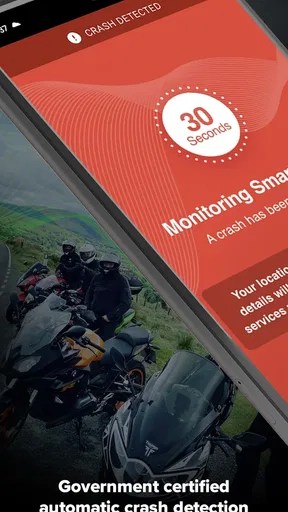
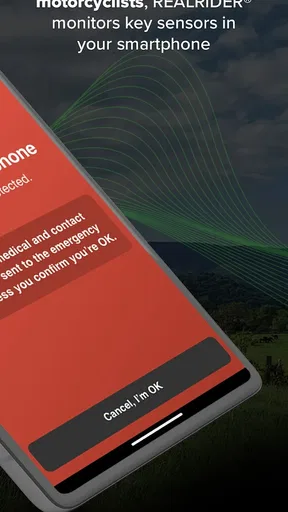
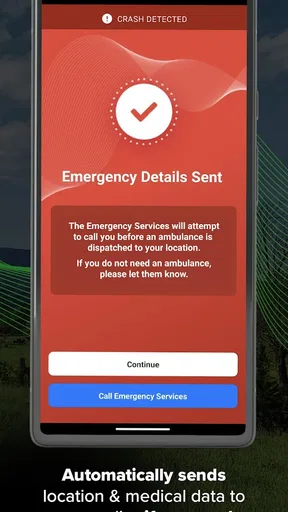
So, what does it offer? First off, the crash detection feature is the real MVP here. It uses your phone’s sensors to detect potential crashes. If it senses that things have gone sideways, it sends out an alert to your emergency contacts with your location. This is crucial because, let’s face it, sometimes help needs to find you, not the other way around.
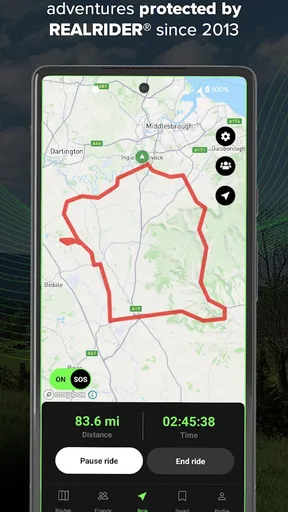
Then there's the ride tracking. This feature not only tracks your ride but also logs details like speed, distance, and even the route. It's perfect if you want to revisit that epic ride or just brag about it to your friends.
User Experience: Getting Around the App
Now, let’s talk about usability. The app’s interface is super intuitive, which is a win in my book. You don’t want to be fumbling around with complicated settings when you're about to hit the road. Everything is laid out clearly, making it easy to set up your emergency contacts and start tracking your rides.
One thing I found particularly handy was the voice control feature. Imagine having to tap around on your phone while wearing gloves—no thanks! Voice control allows you to operate the app hands-free, which is a game-changer when you're all geared up.
What I Loved and What Could Be Better
Alright, let’s get personal. I love how REALRIDER integrates safety with adventure. The peace of mind knowing that someone will be alerted if things go wrong is, quite frankly, priceless. Plus, the ride tracking feature is a nice bonus for those of us who like to remember every twist and turn.
However, I did notice that the app can be a bit of a battery drain, especially on longer rides. It’s not a deal-breaker but something to be aware of. Keeping a power bank handy might be a smart move.
The Bottom Line
So, is REALRIDER® Crash Detection worth it? If you’re serious about safety and love hitting the open road, I’d say yes. It’s like having an extra layer of protection that doesn’t get in the way of your ride. Plus, the ability to track and relive your rides is a sweet bonus.
The app is from Realsafe Technologies LTD and sits in the Auto & Vehicles category. Its average rating is 2.0 from 124 ratings, alongside 6 written reviews, and it has passed 10K+ installs. Those figures make me cautious rather than dismissive: a modest rating is a reason to test the setup carefully and decide for yourself whether the experience suits your routine. It is free, rated for Everyone, and the current version is 5.4.2, with Android 6.0 or later required.
If you're intrigued and want to give it a whirl, you can find it on both the Play Store and the App Store. Give it a try, and let it be your silent passenger, watching your back while you chase the horizon.
Pros
- Accurate crash detection technology.
- Easy-to-use interface and setup.
- Real-time location tracking for safety.
- SOS alerts sent to emergency contacts.
- Compatible with various devices.
Cons
- Requires constant GPS access.
- May drain battery quickly.
- Subscription needed for full features.
- Limited offline functionality.
- Initial setup can be time-consuming.
FAQs for REALRIDER® Crash Detection
What is REALRIDER® Crash Detection and how does it work?
REALRIDER® Crash Detection is an app designed for motorcyclists, providing real-time crash detection and emergency response features. Using advanced sensors and algorithms, it can detect a crash and automatically alert emergency contacts with your location. This ensures timely assistance and enhances rider safety on the road.
Is REALRIDER® Crash Detection available for both Android and iOS devices?
Yes, REALRIDER® Crash Detection is available for download on both Android and iOS platforms. Users can find the app on Google Play Store for Android devices and the Apple App Store for iOS devices, ensuring broad accessibility for all motorcyclists regardless of their smartphone preference.
Does REALRIDER® require a constant internet connection to function?
REALRIDER® needs an internet connection to send alerts and location data to emergency contacts. However, the crash detection feature itself uses your device's built-in sensors and does not require an internet connection to function. It is recommended to have data access for full functionality.
How accurate is the crash detection feature in REALRIDER®?
The crash detection feature in REALRIDER® is highly accurate, utilizing sophisticated algorithms and your phone’s sensors to distinguish between a genuine crash and minor bumps or sudden stops. The app aims to minimize false alarms, ensuring that alerts are only sent out during actual emergencies.
Are there any subscription fees or in-app purchases with REALRIDER®?
REALRIDER® offers both free and premium subscription options. The free version provides basic features, while the premium subscription unlocks advanced functionalities like enhanced crash detection and additional emergency contacts. Users can choose according to their needs and preferences.


